

Screentell
Instant studio-quality demos, no install required
Video editingAnimations

Released May 5
Freemium · From $0
531

Reviewed by Shawn H. — Founder, AITrustList
Last verified MethodologyAI tools are ranked by traffic signals, not paid placement.

Free online video compressor with no watermark or limits
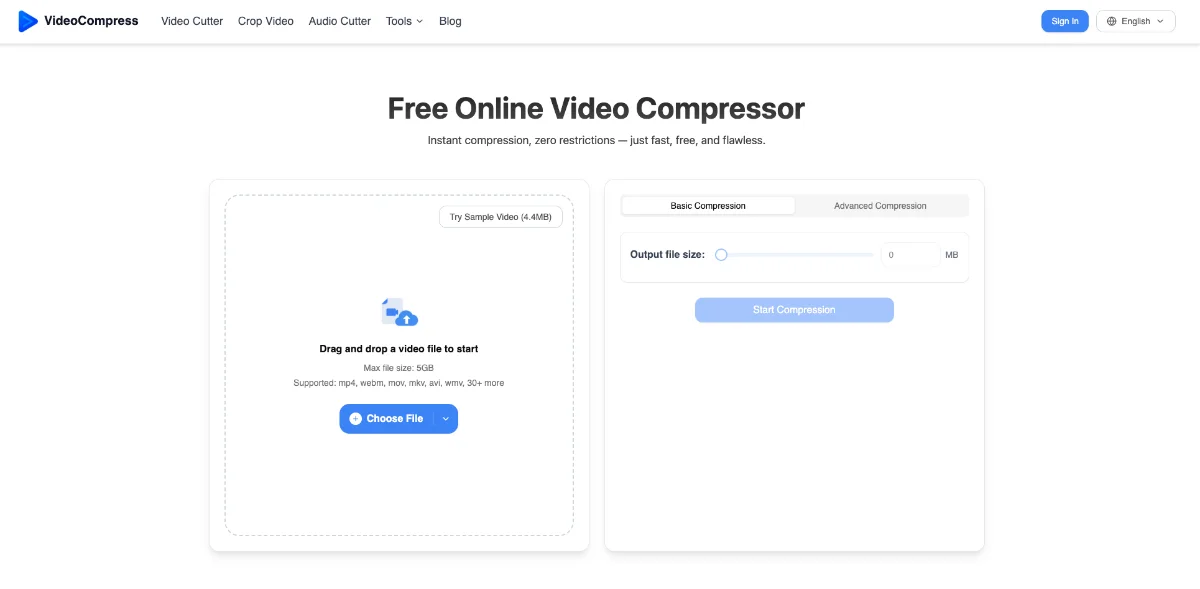
Compress MP4, MOV, AVI, MKV, and 40+ video formats online for free. Cloud-based, no watermark, no usage limits, and up to 5GB per file.
Independently written by the AITrustList editorial team.
Other products in the same task, ranked by popularity.
Pricing and commercial details available on the current listing.
What it is, how to use it, and the full listing description.
VideoCompress is a free, cloud-based online tool that shrinks video file size while maintaining visual quality across 40+ formats.
Upload a video by drag-and-drop, from Google Drive or Dropbox, by pasting a URL, or by browsing your device. Pick a Basic or Advanced compression mode, then download the smaller file when processing finishes.
VideoCompress is a free, browser-based video compressor that reduces video file size while preserving quality. It supports more than 40 formats including MP4, MOV, AVI, MKV, WebM, and WMV, with a maximum upload size of 5GB per file. The tool offers Basic and Advanced compression modes, letting users choose a quick preset or fine-tune bitrate, resolution, and target file size. All processing happens on secure cloud servers, so it works on any device (Windows, Mac, iPhone, Android) without installing software. The service is completely free with no watermarks and no usage caps, and uploaded files are automatically deleted after processing to protect privacy. It uses H.264 and H.265 encoders for strong, broadly compatible output and is trusted by over 200,000 users worldwide.
Traffic and engagement metrics for videocompress.ai.
VideoCompress had 1.0M monthly visits in the latest recorded month. It is currently tracked in the Video editing category on AITrustList.
| Keyword | Traffic | Cost Per Click |
|---|---|---|
| compress video | 354.5K | $ 0.16 |
| video compressor | 578.4K | $ 0.20 |
| comprimir video | 230.3K | $ 0.11 |
| 视频压缩 | 22.5K | $ 0.50 |
| сжать видео | 45.1K | $ 0.22 |
0.00 out of 5
Based on 0 reviews
No published reviews yet.
Questions and answers included with this listing.
Yes. VideoCompress is mobile-friendly and works smoothly on both iPhone and Android. You can upload, compress, and download directly from a mobile browser.
Compression runs entirely on secure cloud servers, so it does not use your local CPU or memory. Uploaded videos are automatically deleted after processing to keep data safe.
The compression engine preserves visual clarity while minimizing size. You can adjust bitrate, resolution, or a target size, and the output remains crisp.
You can upload and compress videos up to 5GB. The team is also working on increasing the file size limit in future updates.
Yes, it is 100% free with no watermarks and no usage limits. You can compress as many videos as you like.
Official and listing-specific external resources.
Published tools in the same task branch.
Instant studio-quality demos, no install required
Released May 5
Freemium · From $0

AI that turns long videos into high-quality viral clips

Released May 27
Freemium · From $15 /mo

Create professional videos instantly from images using AI

Released May 18
Free

AI photo editor, image & video generator in your browser

Released Aug 4
Freemium · From $1.99/month