PDFgear
Free AI-powered PDF editor across desktop, web, and mobile
Pdf Editting
Released Aug 27
Free
250

Reviewed by Shawn H. — Founder, AITrustList
Last verified MethodologyAI tools are ranked by traffic signals, not paid placement.

All-in-one online PDF editor for editing, signing,converting
Edit, sign, annotate, merge, split, compress, and convert PDFs online. Cross-platform, no install required, with AI tools for chat and summarization.
Independently written by the AITrustList editorial team.
+2 more pros not shown
Other products in the same task, ranked by popularity.
Pricing and commercial details available on the current listing.
What it is, how to use it, and the full listing description.
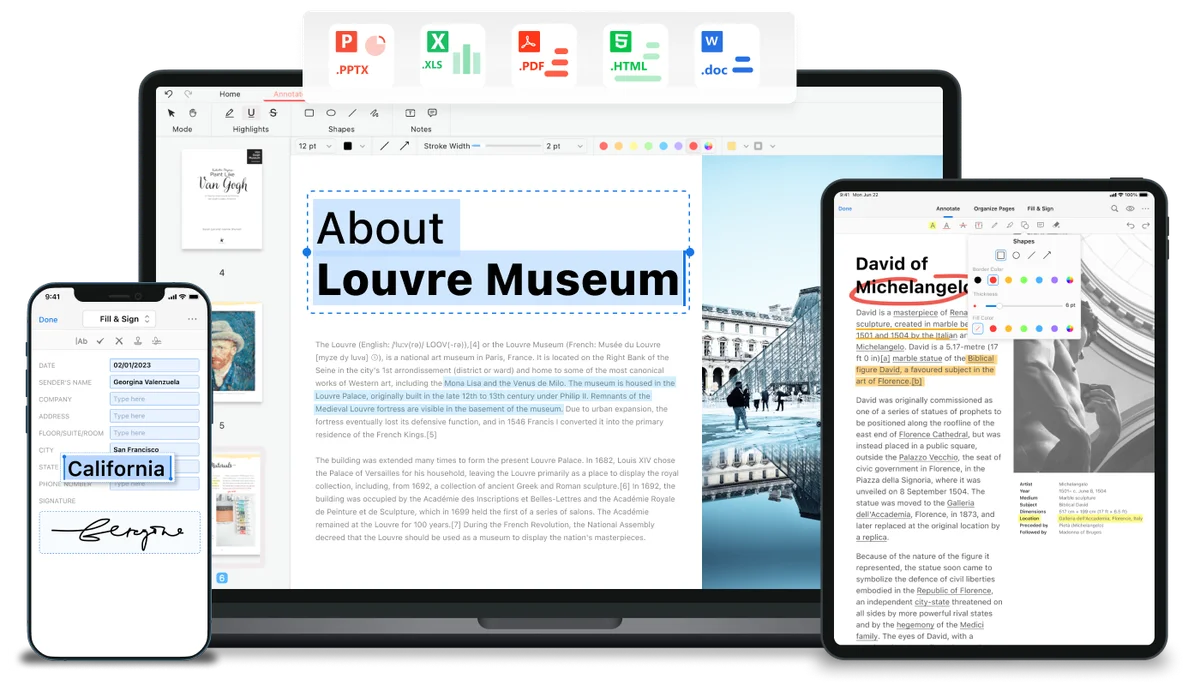
pdf.net is an online, browser-based PDF editor that lets users edit text, sign, annotate, convert, merge, split, and compress PDF documents without installing software.
Upload a PDF (or DOC, DOCX, PPT, PPTX, JPG, PNG, HEIC, MD file) from your device, use the editor to make changes, add signatures, annotations, or run a conversion, then download the finished file. Core features work without creating an account.
pdf.net is a browser-based PDF editor that combines editing, signing, conversion, and document management tools in a single interface. Users can directly edit text (changing font, size, and color), add images, annotate with highlights and drawings, and insert signatures (typed, drawn, or uploaded). The platform supports merging, splitting, compressing, rearranging, rotating, and extracting pages, as well as adding page numbers and Bates numbering. A wide range of conversions are supported: PDF to/from Word, Excel, PowerPoint, JPG, PNG, CSV, Markdown, EPUB, and HEIC. AI features include Chat with PDF, PDF Summarizer, and an AI PDF Generator. Document security tools include password protection, PDF unlocking, signature background removal, and side-by-side PDF comparison. The service runs entirely in the browser, is compatible with Windows, macOS, Android, and iOS, and uses HTTPS encryption to keep files private. Core tools work without an account; registering for an account provides expanded features and file management controls.
Traffic and engagement metrics for pdf.net.
pdf.net traffic grew by 25.0% over the last 12 months, reaching 2.2M monthly visits. It is currently tracked in the Pdf Editting category on AITrustList.
| Keyword | Traffic | Cost Per Click |
|---|---|---|
| pdf editor | 2.3M | $ 0.36 |
| free pdf editor | 349.3K | $ 1.14 |
| edit pdf | 1.2M | $ 0.34 |
| pdf editor free | 324.1K | $ 0.66 |
| edit pdf online | 486.3K | -- |
0.00 out of 5
Based on 0 reviews
No published reviews yet.
Questions and answers included with this listing.
Files are protected using secure HTTPS encryption and advanced safety protocols to keep documents private.
Yes. pdf.net is fully adapted for mobile devices and tablets, supporting both Android and iOS.
Supported formats include PDF, DOC, DOCX, PPT, PPTX, PPSX, JPG, PNG, HEIC, and Markdown (MD). Convert to/from Word, Excel, CSV, and other formats is also available.
Upload the document, select the desired output format, wait for processing, and download the converted file with the original layout intact.
No account is required for core features. Registering for a free account unlocks additional features and greater file control.
Official and listing-specific external resources.
Published tools in the same task branch.