Zhipu Qingyan(智谱清言)
GLM-5 AI assistant for chat, writing, and programming.
Personal assistantMultimodal LLM

Released May 25
Freemium
700

Reviewed by Shawn H. — Founder, AITrustList
Last verified MethodologyAI tools are ranked by traffic signals, not paid placement.

Agentic IDE that brings engineering rigor to AI coding
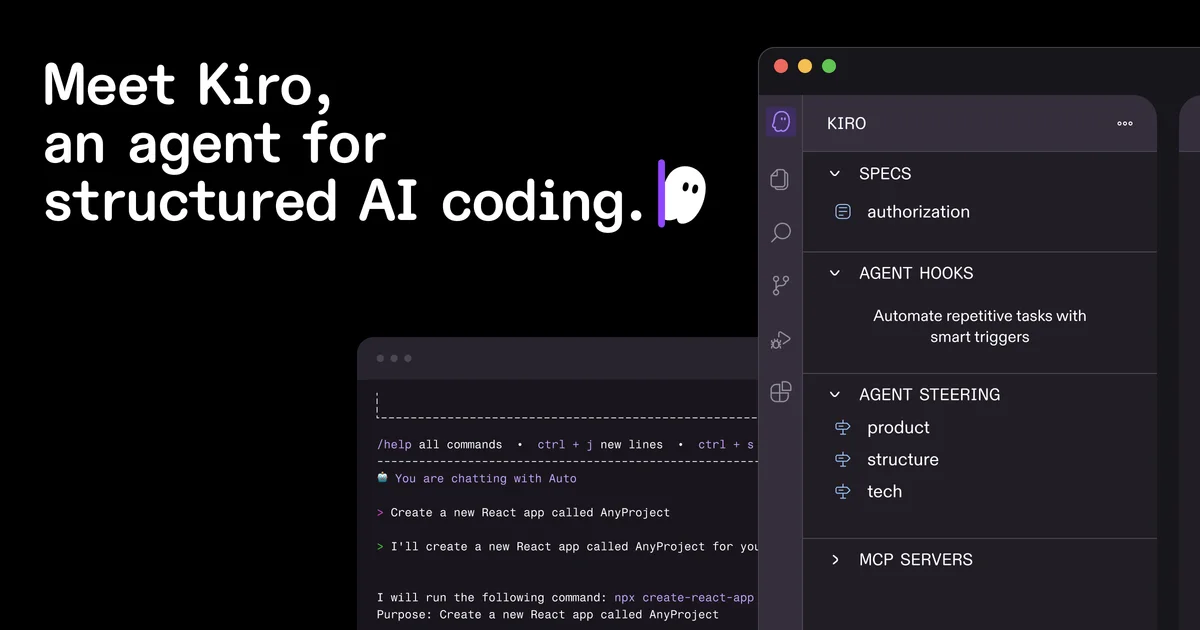
Kiro is an agentic AI IDE for spec-driven development, autonomous coding agents, and event-based automation across large codebases.
Independently written by the AITrustList editorial team.
Other products in the same task, ranked by popularity.
Pricing and commercial details available on the current listing.
What it is, how to use it, and the full listing description.
Kiro is an agentic AI IDE and CLI that combines spec-driven development, autonomous coding agents, and event-based automation to help teams ship production-grade software faster.
Download the Kiro IDE for macOS, Linux, or Windows, or install the Kiro CLI in your terminal. Describe what you want to build in natural language, and Kiro turns it into a structured spec with requirements, architecture, and tasks. Use the chat panel to invoke agents, configure steering files for project rules, and set up agent hooks to automate recurring work on file save or other triggers.
Kiro is an agentic AI development environment that helps developers and teams move from prototype-style AI coding to structured engineering workflows. It introduces spec-driven development, where natural language prompts are turned into clear requirements, EARS-notation acceptance criteria, architectural designs, and sequenced implementation tasks. Advanced AI agents can then autonomously implement features, fix bugs, and run long-running tasks across large codebases.
Kiro runs both as a desktop IDE and a CLI, so teams can build, refactor, debug, and deploy from the terminal via SSH or locally. Agent hooks let you delegate recurring work—such as generating documentation, unit tests, or commit messages—to background agents triggered by file saves and other events. The IDE supports multimodal inputs (including UI screenshots and whiteboard photos), native MCP integration for connecting to docs, databases, and APIs, and steering files for per-project coding standards. It is compatible with Open VSX plugins, themes, and VS Code settings, and is powered by Claude Sonnet 4.5 with an Auto mode that mixes frontier models for cost and latency. Per-prompt credit usage, real-time code diffs, and intelligent error diagnostics give developers tight control over spend and code changes.
Traffic and engagement metrics for kiro.dev.
Kiro traffic grew by 162.4% over the last 12 months, reaching 3.2M monthly visits. It is currently tracked in the Coding category on AITrustList.
| Keyword | Traffic | Cost Per Click |
|---|---|---|
| kiro | 243.5K | $ 2.53 |
| kiro ai | 70.0K | $ 1.98 |
| cursor | 2.3M | $ 3.02 |
| claude | 38.8M | $ 0.71 |
| kiro crew | 21.7K | -- |
0.00 out of 5
Based on 0 reviews
No published reviews yet.
Questions and answers included with this listing.
Kiro is an agentic AI IDE and CLI that helps developers bridge the gap from AI coding to engineering through spec-driven development, autonomous agents, and event-based automation.
Yes. Kiro supports Open VSX plugins, themes, and VS Code settings, making it easy to migrate an existing VS Code setup.
Kiro is powered by Claude Sonnet 4.5 and an Auto mode that mixes frontier models for intent detection and caching to balance quality, latency, and cost.
Yes. Kiro offers a CLI for macOS, Linux, and Windows that lets you build features, automate workflows, and trace bugs locally or over SSH.
Yes. Steering files let you configure how Kiro agents behave per project or globally, including coding standards, preferred workflows, and tools.
Published tools in the same task branch.
GLM-5 AI assistant for chat, writing, and programming.
Released May 25
Freemium

Google's AI for writing, planning, and brainstorming
Released May 16
Freemium · From $0