Shawn H. avatar

Reviewed by Shawn H. — Founder, AITrustList

Last verified MethodologyAI tools are ranked by traffic signals, not paid placement.

Unwatermark AI logo

Unwatermark AI

Remove watermarks from photos and videos with AI

Remove Watermark
FreemiumVerified Oct 26, 2026

Unwatermark AI removes logos, text, stamps, objects and unwanted elements from photos and videos using automatic AI detection or a manual brush.

Unwatermark AI alternatives
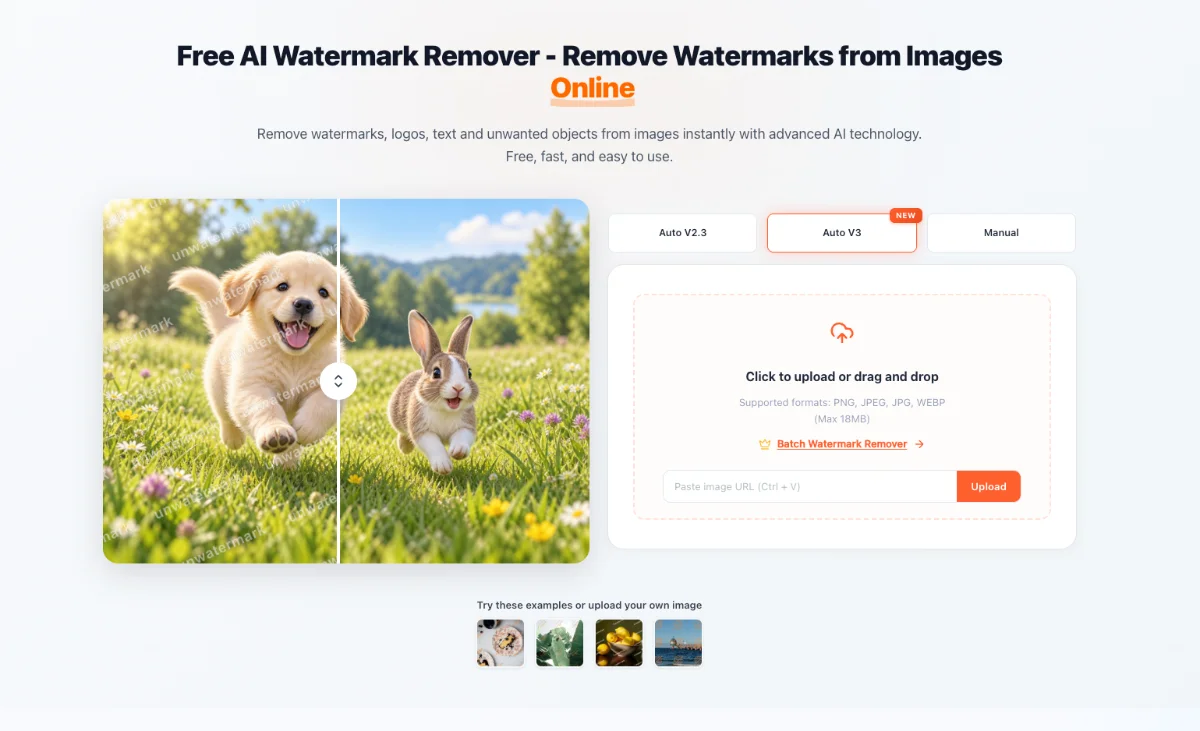
Screenshot 1

Pros & cons

Independently written by the AITrustList editorial team.

Pros

  • Removes watermarks, logos, text, stamps, objects and people from uploaded media.
  • Offers automatic detection plus an adjustable manual brush for detailed edits.
  • Supports both photos and videos, including frame-by-frame video processing.
  • Lists PNG, JPEG, JPG and WEBP images plus MP4, M4V and MOV videos.
  • Provides a dedicated batch remover and a preview before download.
  • Core watermark removal can be used in the browser without signing in.

Cons

  • Image uploads are capped at 18 MB.
  • Free use is subject to a limit; additional use uses paid credits or packages.
  • Faint, stubborn or intricate marks may still require manual brush editing.
  • Source media must be uploaded to the web service; no local workflow is described.

Unwatermark AI alternatives

More Unwatermark AI alternatives

Other products in the same task, ranked by popularity.

Unwatermark AI Pricing

Pricing and commercial details available on the current listing.

Pricing model
Freemium

About Unwatermark AI

What it is, how to use it, and the full listing description.

What is Unwatermark AI?

A browser-based AI tool for removing watermarks, logos, text, stamps, objects and people from photos and videos with automatic and manual editing modes.

How to use Unwatermark AI?

Upload an image or supported video, choose automatic detection or the Manual Brush, run the AI processing, review the preview and download the cleaned file. A dedicated batch remover is also linked for processing multiple files.

Core features of Unwatermark AI

  • Automatic detection for logos, stamps, text and full-screen watermarks
  • Magic Eraser for unwanted objects, elements and people
  • Frame-by-frame AI cleaning for watermarked video
  • Adjustable Manual Brush for faint or intricate marks
  • Dedicated batch watermark-removal workflow
  • Preview-before-download with no sign-in required for core use

Target audience of Unwatermark AI

Content CreatorsPhotographerseCommerce sellersSocial Media Managers

Use cases of Unwatermark AI

  • #1Remove logos, captions, date stamps and text overlays from photos.
  • #2Clean unwanted objects or people from product and lifestyle imagery.
  • #3Remove watermarks from owned social and generated video clips before publishing.
  • #4Batch-clean watermarked images for catalogs or campaigns.

Unwatermark AI is a web-based cleanup tool for removing watermarks and unwanted elements from images and videos. Its automatic modes target logos, stamps, text, full-screen marks and other objects, while the Magic Eraser can remove people or objects and reconstruct the surrounding background. A frame-by-frame video cleaner processes uploads such as TikTok, YouTube or generated video clips, and an adjustable Manual Brush supports difficult marks and detailed edits. The uploader accepts PNG, JPEG, JPG and WEBP images up to 18 MB; named video formats include MP4, M4V and MOV. A separate batch workflow is available. Users can preview the processed result before downloading, and the core removal flow is available without signing in.


Unwatermark AI Website Traffic Analysis

Traffic and engagement metrics for unwatermark.ai.

Visit Over Time

Unwatermark AI had 955.6K monthly visits in the latest recorded month. It is currently tracked in the Remove Watermark category on AITrustList.

Monthly Visits955.6K
Avg. Visit Duration01:07
Page per Visit2.17
Bounce Rate44.09%
Oct 2025 - Sep 2026 All Traffic

Geography

Top 5 Regions

📍Russia
17.72%
📍United States
12.27%
📍India
6.38%
📍United Kingdom
4.41%
📍China
3.45%
Oct 2025 - Sep 2026 Desktop Only

Traffic Sources

Organic Search
45.76%
Direct
44.32%
Referrals
5.51%
Organic Social
2.99%
GenAI
1.12%
Mail
0.20%
Display Ads
0.10%
Affiliate
0.00%
Paid Search
0.00%
Paid Social
0.00%
Oct 2025 - Sep 2026 Worldwide Desktop Only

AI Referral Traffic

Google Gemini
20.9%
ChatGPT
0.4%
Oct 2025 - Sep 2026 AI Engine Share Trends

Top Keywords

KeywordTrafficCost Per Click
watermark remover379.0K$ 0.35
unwatermark ai2.9K$ 0.45
unwatermark4.0K$ 0.18
ai watermark remover50.6K$ 0.82
워터마크 제거8.5K$ 0.51

Customer Reviews

☆☆☆☆☆

0.00 out of 5

Based on 0 reviews

★★★★★
0
★★★★☆
0
★★★☆☆
0
★★☆☆☆
0
★☆☆☆☆
0

No published reviews yet.

FAQ from Unwatermark AI

Questions and answers included with this listing.

What is Unwatermark and how can it help me?

It is a web-based AI image and video cleanup tool that removes watermarks, logos, text, stamps, objects and people using automatic detection or a manual brush.

What file types does Unwatermark support?

The page lists PNG, JPEG, JPG and WEBP for images, with an 18 MB image limit. It also names MP4, M4V and MOV among supported video formats.

Does Unwatermark support batch watermark removal?

Yes. The site links a dedicated Batch Watermark Remover for processing watermarks across multiple files.

Is Unwatermark completely free?

The core removal flow can be used for free without logging in. The site also refers to free-usage limits and purchasable credits or packages for additional use.

When should I use automatic removal or the Manual Brush?

Use automatic detection for recognizable watermarks. Use the adjustable Manual Brush for faint, stubborn or intricate areas, then preview and download the result.