

Shawn H. avatar

Reviewed by Shawn H. — Founder, AITrustList

Last verified MethodologyAI tools are ranked by traffic signals, not paid placement.

Invoiceize logo

Invoiceize

Free PDF invoice generator — no signup, no watermark

Finance & Accounting
FreeVerified Nov 13, 2026

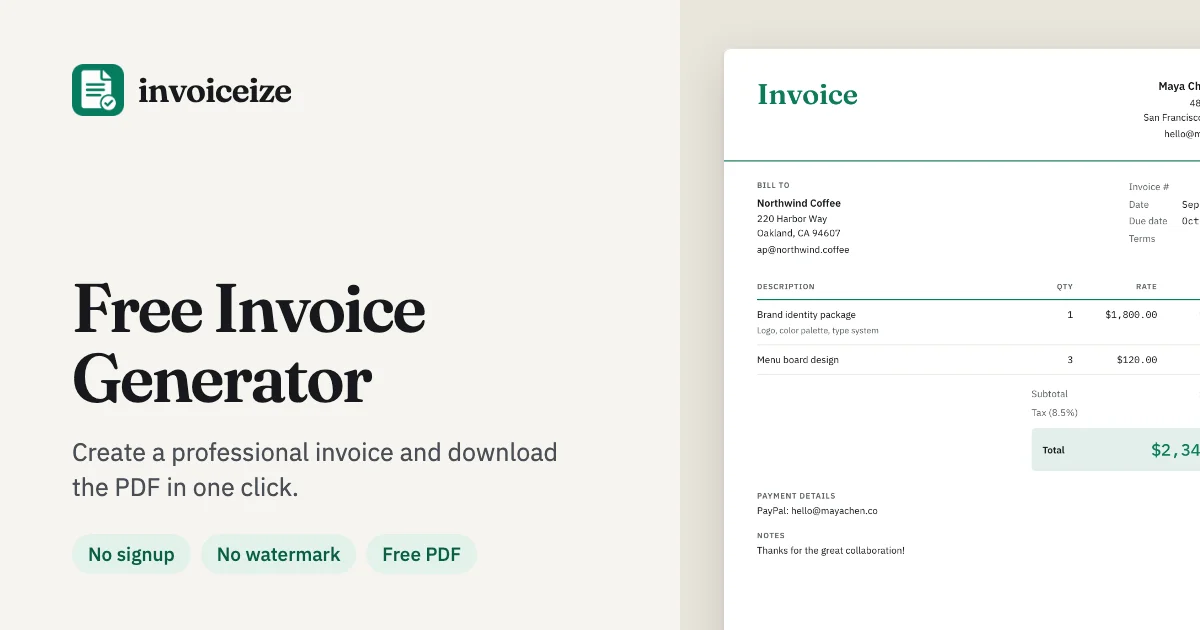
Create and download professional PDF invoices for free with a live preview editor. No signup required and no watermark added.

Invoiceize alternatives
Screenshot 1

Pros & cons

Independently written by the AITrustList editorial team.

Pros

  • Completely free with no watermark on PDF exports
  • No signup or account required to generate invoices
  • Real-time preview syncs instantly with edits
  • Brand Kit saves logo, color, and business info
  • Supports multiple currencies, taxes, discounts, and shipping
  • Paste line items directly from Excel or Google Sheets

Cons

  • Local storage limits access to one device unless logged in
  • Lacks advanced accounting features like expense tracking or reports
  • No dedicated native mobile app; relies on mobile web browser

Invoiceize Pricing

Pricing and commercial details available on the current listing.

Pricing model
Free

About Invoiceize

What it is, how to use it, and the full listing description.

What is Invoiceize?

A free browser-based tool for generating PDF invoices, receipts, quotes, and pay stubs with a live preview editor.

How to use Invoiceize?

Type your business and client details into the left panel, add line items, customize the layout and brand colors, then download a clean PDF or print directly.

Core features of Invoiceize

  • Live split-pane preview that syncs as you type
  • Brand Kit to save logo, color, and business details
  • Support for tax, discounts, shipping, and partial payments
  • Paste line items from Excel or Google Sheets
  • Optional cloud sync across multiple devices
  • Multiple currencies and locale support

Target audience of Invoiceize

FreelancersSolopreneursSmall BusinessesConsultants

Use cases of Invoiceize

  • #1Freelancers creating project-based or milestone invoices
  • #2Hourly workers billing clients for time and materials
  • #3Consultants managing retainer and project fees
  • #4Contractors invoicing for labor and material costs

Invoiceize is a free web tool for generating professional PDF invoices, receipts, quotes, and pay stubs. It features a live split-pane preview that updates in real time as you type. Users can customize layouts, add their logo and brand colors, and apply tax, discounts, or shipping charges. Data is saved locally in the browser with an optional free login for cloud sync across devices. Line items can be pasted directly from spreadsheets. No account is required to create and download PDFs, which are clean and watermark-free.

Invoiceize Website Traffic Analysis

Traffic and engagement metrics for invoiceize.com.

Visit Over Time

Invoiceize traffic grew by 0.1% over the last 5 months, reaching 452.2K monthly visits. It is currently tracked in the Finance & Accounting category on AITrustList.

Monthly Visits452.2K
Avg. Visit Duration01:27
Page per Visit1.87
Bounce Rate44.70%
Jun 2026 - Oct 2026 All Traffic

Geography

Top 0 Regions

Jun 2026 - Oct 2026 Desktop Only

Traffic Sources

Direct
50.19%
Organic Search
31.14%
Referrals
7.98%
Organic Social
5.67%
Mail
2.06%
Paid Search
1.89%
Display Ads
0.56%
Paid Social
0.52%
GenAI
0.00%
Affiliate
0.00%
Jun 2026 - Oct 2026 Worldwide Desktop Only

Top Keywords

KeywordTrafficCost Per Click
create a invoice template with logo----
invoice definition1.1K$ 5.30
what does invoice mean860$ 2.01

Customer Reviews

☆☆☆☆☆

0.00 out of 5

Based on 0 reviews

★★★★★
0
★★★★☆
0
★★★☆☆
0
★★☆☆☆
0
★☆☆☆☆
0

No published reviews yet.

FAQ from Invoiceize

Questions and answers included with this listing.

Is this invoice generator really free?

Yes. Creating, editing and downloading invoices is free, with no watermark and no limit on how many you make.

Do I need an account to make an invoice?

No. You can fill in an invoice and download the PDF without signing up or logging in. Your invoices are saved in the browser you are using, so they are still there when you come back.

Where is my invoice data stored, and is it private?

Without an account, your drafts are saved in your browser's local storage on this device. If you log in, data is saved to the cloud. Invoiceize never sells or shares your data, nor uses it to train AI or target ads.

Can I add my logo and brand color?

Yes. Upload your logo and pick a color right in the generator. Save them once in the Brand Kit and every new invoice starts with your logo, color, business details and payment info.

What is the difference between an invoice, a receipt and a quote?

A quote prices the work before it starts. An invoice asks for payment after you deliver. A receipt confirms a payment has already been made.