

Meshy AI
Free AI 3D model generator to create from text or images.
3D objects3D design
Use Meshy AI to transform text and images into production-ready 3D models in seconds. No experience required.
Released May 16
Freemium · From $10
510

Reviewed by Shawn H. — Founder, AITrustList
Last verified MethodologyAI tools are ranked by traffic signals, not paid placement.

Turn text and images into production-ready 3D models
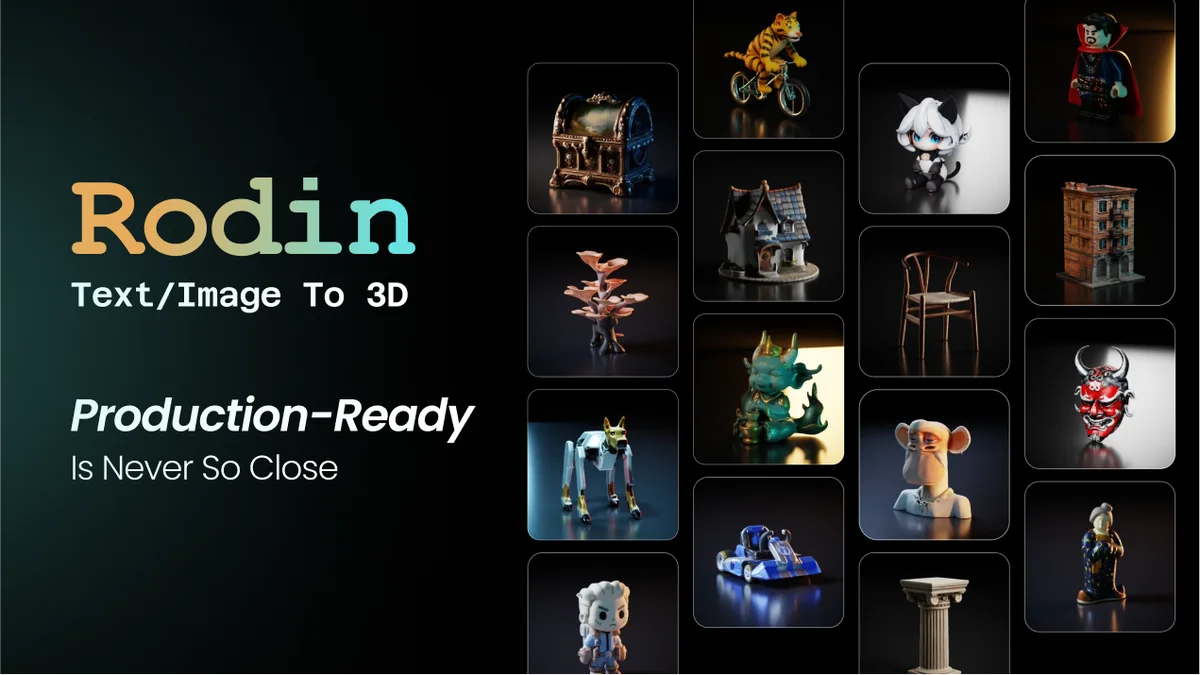
Hyper3D Rodin is an AI 3D model generator that converts text prompts and images into detailed, exportable 3D assets with ControlNet, tools, and controls.
Independently written by the AITrustList editorial team.
+2 more pros not shown
Other products in the same task, ranked by popularity.
Pricing and commercial details available on the current listing.
What it is, how to use it, and the full listing description.
Hyper3D Rodin is an AI 3D model generator that converts text prompts and reference images into detailed, editable 3D assets for games, product visualization, AR/VR, and 3D printing.
Sign up for a free Hyper3D workspace, upload a reference image, sketch, or multi-view set (or enter a text prompt), choose your effort level and ControlNet options, then generate and export the result in formats like .obj, .fbx, or .glb. Advanced users can integrate via plugins for Blender, Unity, Unreal, Godot, Maya, 3DS Max, or the API.
Hyper3D Rodin is an AI-powered 3D generation platform from DeemosTech that creates high-fidelity 3D assets from text prompts or reference images. Users can start with a single image, multi-view set, sketch, or written description and generate detailed 3D geometry in seconds, with options ranging from Extreme-Low (~4s) to Extreme-High (~80s) effort levels.
Key capabilities include Image-to-3D and Text-to-3D generation, 3D ControlNet with Bounding Box, Voxel and Point Cloud guides, partial edits, free retries, and Smart Low-Poly optimization. Outputs can be exported in common formats such as .obj, .fbx, and .glb.
The platform also bundles an OmniCraft toolkit featuring AI Image Remix, Image Enhancer, Texture Generator, HDRI Generator, 3D Model Search, SVG-to-3D, and a Mesh Editor. Native add-ons connect Rodin to Blender, Unity, Unreal, Godot, Maya, 3DS Max, and ComfyUI, while a REST-style API supports programmatic 3D generation. Enterprise teams get SAML 2.0 SSO, role-based access, shared asset workspaces, and audit controls.
Traffic and engagement metrics for hyper3d.ai.
Hyper3D Rodin traffic grew by 636.8% over the last 12 months, reaching 9.7M monthly visits. It is currently tracked in the 3D design category on AITrustList.
| Keyword | Traffic | Cost Per Click |
|---|---|---|
| ai 3d model generator | 520.8K | $ 2.03 |
| text to 3d | 421.9K | $ 2.19 |
| image to 3d | 379.5K | $ 1.42 |
| ai 3d generator free | 279.7K | -- |
| 3d model generator from photo | 245.7K | -- |
0.00 out of 5
Based on 0 reviews
No published reviews yet.
Questions and answers included with this listing.
You can start with a single reference image, a multi-view set, a sketch, an illustration, or a text prompt to generate a 3D model.
Hyper3D Rodin exports to common 3D formats including .obj, .fbx, and .glb for supported creative, AR/VR, and 3D-printing workflows.
Yes. Native add-ons are available for Blender, Unity, Unreal Engine, Godot, Maya, 3DS Max, and ComfyUI, and there is an API for programmatic generation.
Yes. The site lists a Free plan and a 7-day trial option, and states that you can test the platform with free credits without a subscription.
Published tools in the same task branch.
Free AI 3D model generator to create from text or images.
Use Meshy AI to transform text and images into production-ready 3D models in seconds. No experience required.
Released May 16
Freemium · From $10

AI-powered 3D home design and floor planning in minutes
Coohom is an online 3D home design platform with AI layout suggestions, photorealistic rendering, and 60,000+ furniture models.
Released Jun 18
Freemium

Generate, edit, and enhance images, videos, and 3D with AI
AI creative suite for generating, editing, and enhancing images, videos, and 3D assets with real-time tools and collaborative workflows.
Released Jun 18
Freemium · From $9/month

Turn images into production-ready 3D models in seconds
AI-powered 3D model generator that converts images into high-fidelity, print-ready meshes with PBR textures.
Released Jun 27
Freemium