Shawn H. avatar

Reviewed by Shawn H. — Founder, AITrustList

Last verified MethodologyAI tools are ranked by traffic signals, not paid placement.

AI Room Makeover logo

AI Room Makeover

AI room design that starts with your real room photo.

Home Design
FreemiumVerified Nov 21, 2026

AI room design and makeover tools for your home. Explore new styles, furniture and colors, and see realistic results in your own space. Free to try.

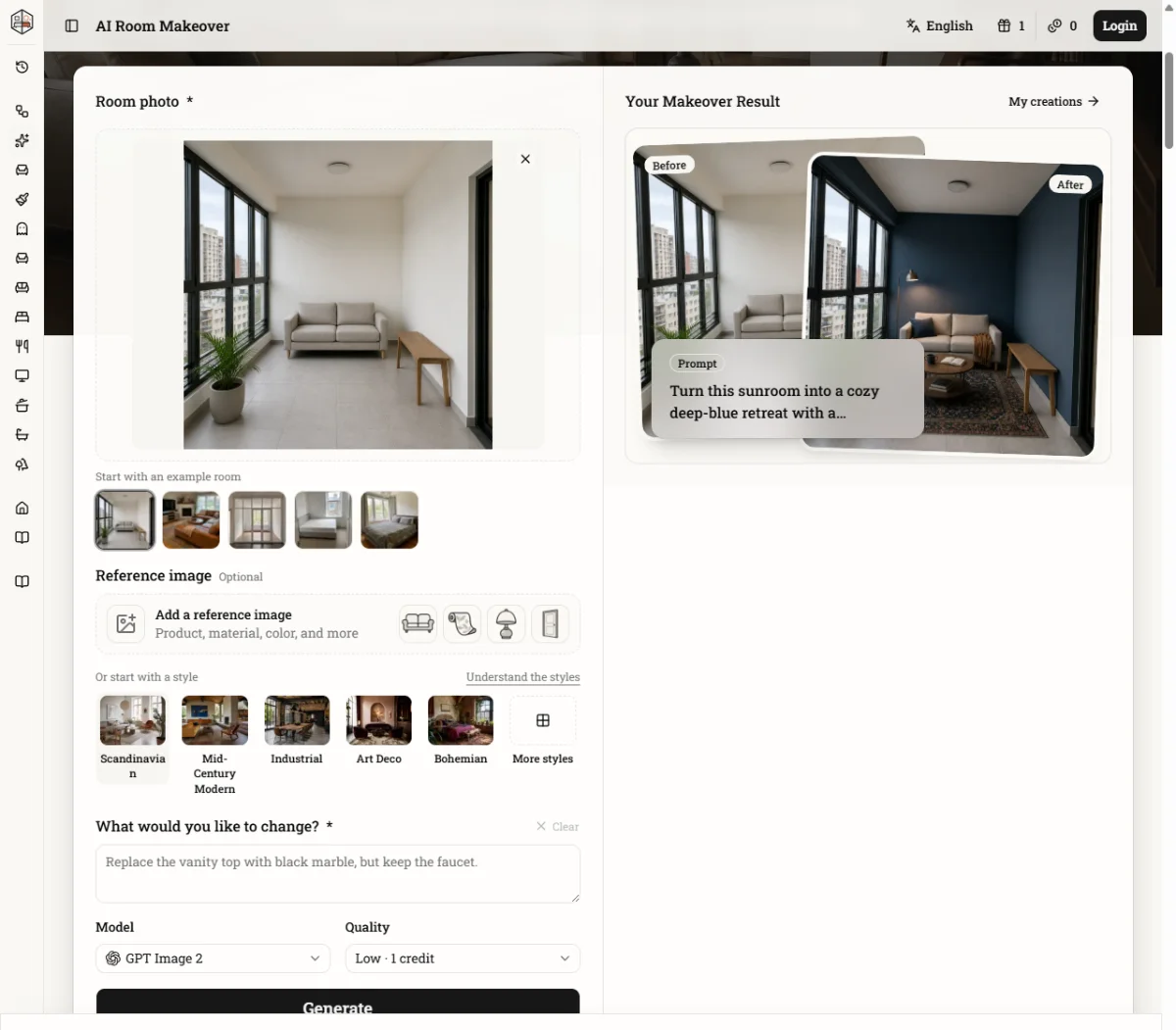
Screenshot 1
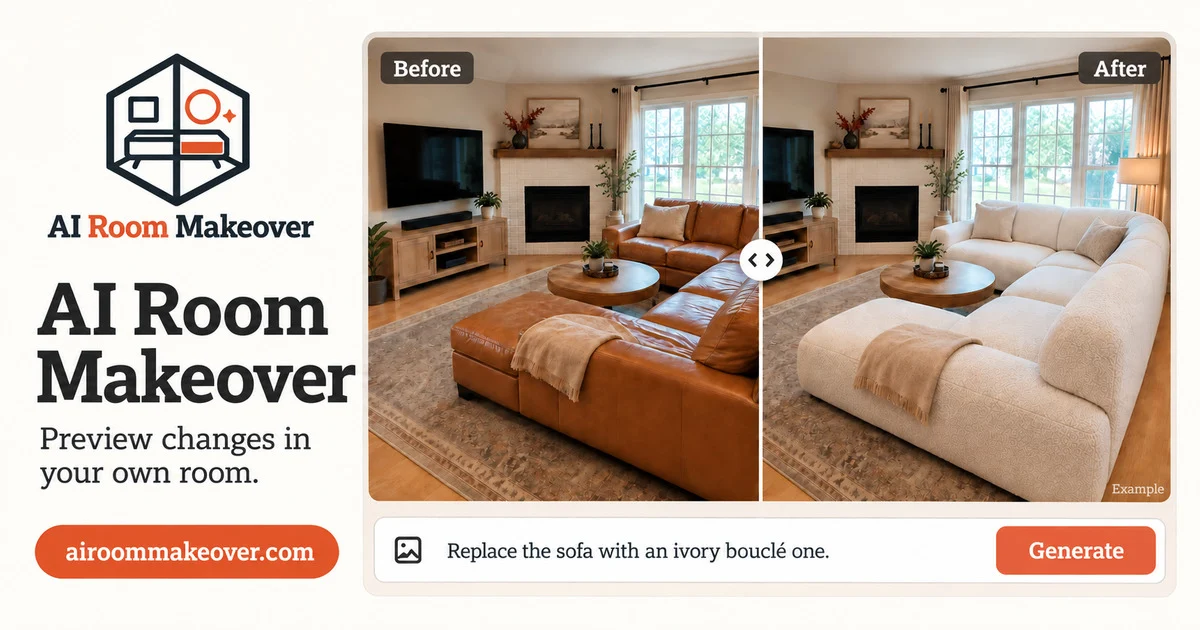
Screenshot 2

Pros & cons

Independently written by the AITrustList editorial team.

Pros

  • Generates realistic makeovers directly in a photo of your real room.
  • Supports reference images for specific furniture, materials, and colors.
  • Allows rearranging existing furniture without AI replacing or adding new items.
  • Covers interior rooms, exterior facades, landscaping, kitchens, and bathrooms.
  • Offers a free trial generation without login or account creation.

Cons

  • Free tier only provides a single trial generation without login.
  • Full use requires purchasing credits; no free allowance included.
  • Results can vary depending on photo quality, lighting, and prompt detail.
  • AI may alter existing furnishings if the prompt isn't highly specific about keeping them.
  • No API, batch processing, or integration with e-commerce or modeling tools.

AI Room Makeover Pricing

Pricing and commercial details available on the current listing.

Pricing model
Freemium

About AI Room Makeover

What it is, how to use it, and the full listing description.

What is AI Room Makeover?

An AI tool that redesigns rooms by applying style, furniture, and color changes to a user's uploaded photo.

How to use AI Room Makeover?

Upload a room photo, optionally add a reference image or pick a style, describe the intended change in a prompt, and generate the updated room visualization.

Core features of AI Room Makeover

  • Upload a photo of your room to use as the design canvas.
  • Add reference images of specific products, materials, or colors.
  • Describe changes with a text prompt or choose from preset design styles.
  • Preview furniture arrangements by rearranging existing items.
  • Generate realistic before-and-after images of interior and exterior spaces.
  • Try a free makeover without creating an account.

Target audience of AI Room Makeover

ConsumersDesignersHomemakerNon-Technical UsersFreelancers

Use cases of AI Room Makeover

  • #1Previewing a new sofa, desk, or fixture before ordering.
  • #2Comparing paint, wallpaper, or flooring options in a real room photo.
  • #3Planning a renter-friendly makeover with reversible changes.
  • #4Rethinking a child's or teen's room layout for study and play.
  • #5Exploring a complete style refresh without committing to a renovation.

AI Room Makeover lets you preview furniture, colors, and renovations in a photo of your real room. Upload a photo of the space you want to redesign. Optionally add a reference image of a product, material, or color you are considering. You can also start with a predefined style like Scandinavian or Mid-Century Modern. Write a prompt describing exactly what you want to change—for example, 'Replace the sofa with an olive green one' or 'Rearrange the furniture to open up floor space'. AI Room Makeover generates a realistic after image of your room. You can keep what works and makeover what doesn't. The platform covers interior and exterior remodels, including living rooms, bedrooms, kitchens, bathrooms, and landscaping. It offers a free try without login and lets you rearrange furniture or preview new items before purchasing. Generations use purchased credits, and no free allowance is included beyond the initial try.


AI Room Makeover Website Traffic Analysis

Traffic and engagement metrics for airoommakeover.com.

Visit Over Time

AI Room Makeover had 691 monthly visits in the latest recorded month. It is currently tracked in the Home Design category on AITrustList.

Monthly Visits691
Avg. Visit Duration00:28
Page per Visit2.70
Bounce Rate70.82%
May 2026 - Oct 2026 All Traffic

Geography

Top 0 Regions

May 2026 - Oct 2026 Desktop Only

Traffic Sources

Organic Search
49.36%
Direct
28.05%
Referrals
11.04%
Organic Social
5.07%
Paid Search
2.99%
Mail
2.43%
Display Ads
0.61%
Paid Social
0.46%
GenAI
0.00%
Affiliate
0.00%
May 2026 - Oct 2026 Worldwide Desktop Only

Top Keywords

KeywordTrafficCost Per Click

Customer Reviews

☆☆☆☆☆

0.00 out of 5

Based on 0 reviews

★★★★★
0
★★★★☆
0
★★★☆☆
0
★★☆☆☆
0
★☆☆☆☆
0

No published reviews yet.

FAQ from AI Room Makeover

Questions and answers included with this listing.

What kind of room photo works best for AI room makeover?

A clear photo of the space or area you want to redesign.

What can I use as a reference for the makeover?

You can upload product, material, or color images as references.

What should I write in the makeover prompt?

Describe exactly what you want to change, such as 'Replace the sofa...' or 'Paint the walls...'.

Will my makeover keep the rest of my room the same?

The AI aims to keep unchanged areas as close to the original as possible.

What if the first AI room design is not right?

Adjust your inputs, reference images, or prompt and generate the makeover again.