

CandyIcons
Create your own app icons with AI in 3 easy steps. Discover the best deal for CandyIcons on AppSumo today.
Create your own app icons with AI in 3 easy steps
Media & Design
...Design & Branding
Templates & Fonts
CandyIcons
Create beautiful, royalty-free app icons from text in three clicks.
CandyIcons turns your ideas into reality using the latest AI technology (DALL·E 3).
Describe your icon in a few words, choose your colors and style, and watch the magic happen!
TL;DR
At-a-glance
Deal type
Creative resources
Best for
Marketers
SaaS
Web designers
Overview
Tired of paying big money, waiting forever, and getting results that are meh at best?
Time to let CandyIcons do the hard work.
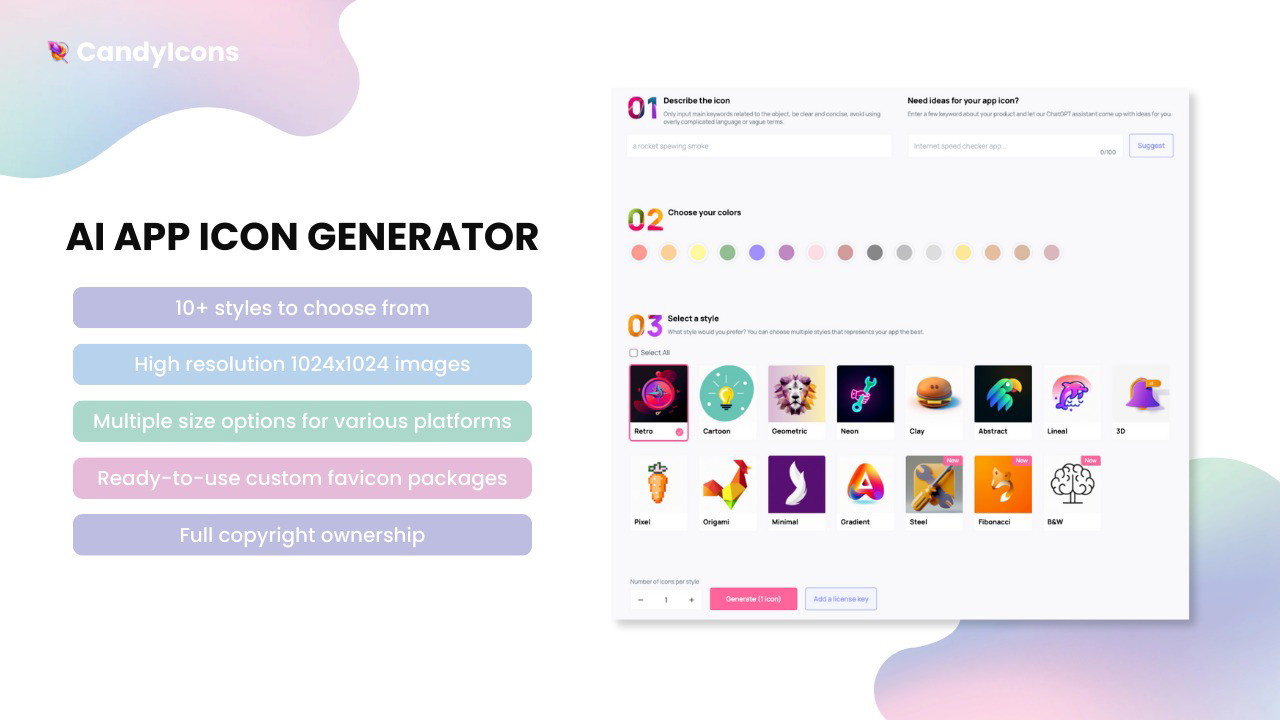
Describe your icon in a few words
Choose the colors you wish to use
Select one of 15 styles for your brand-new icon
Generate!
Sit back, relax, and be impressed!
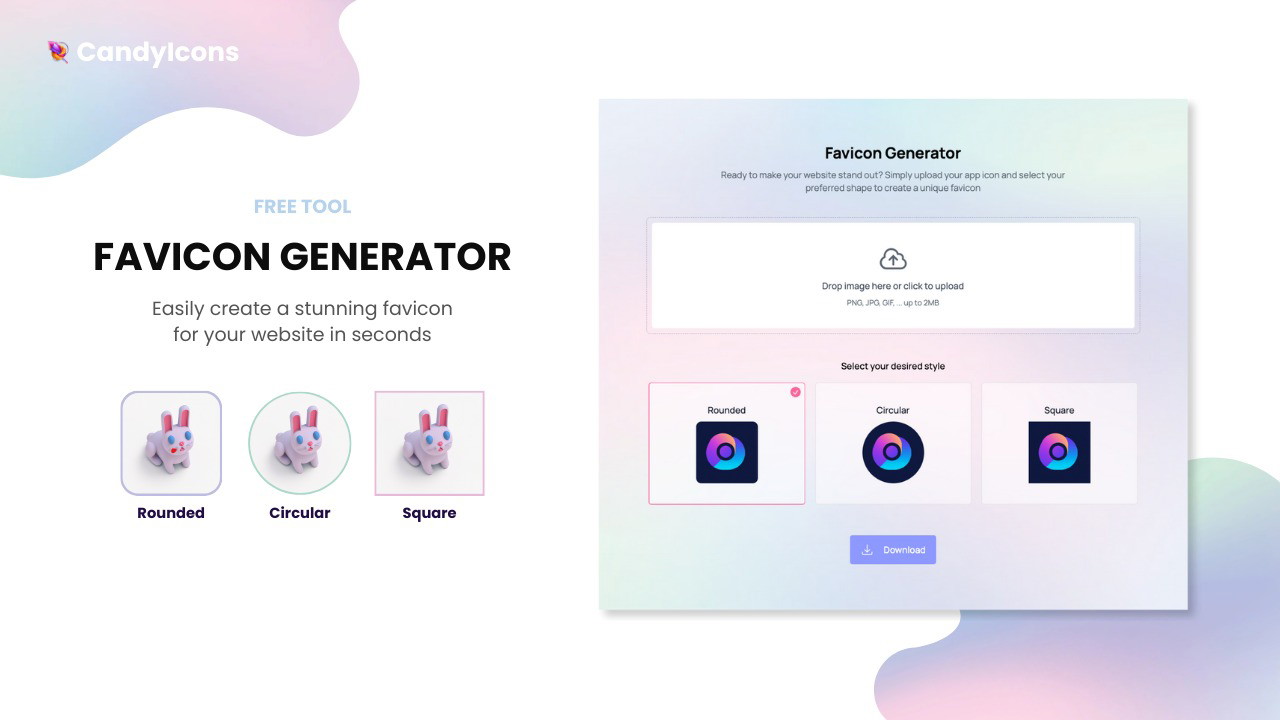
No app is complete without a matching favicon.
Use our free favicon generator to create rounded, circular, or square favicons (zero credit cost).
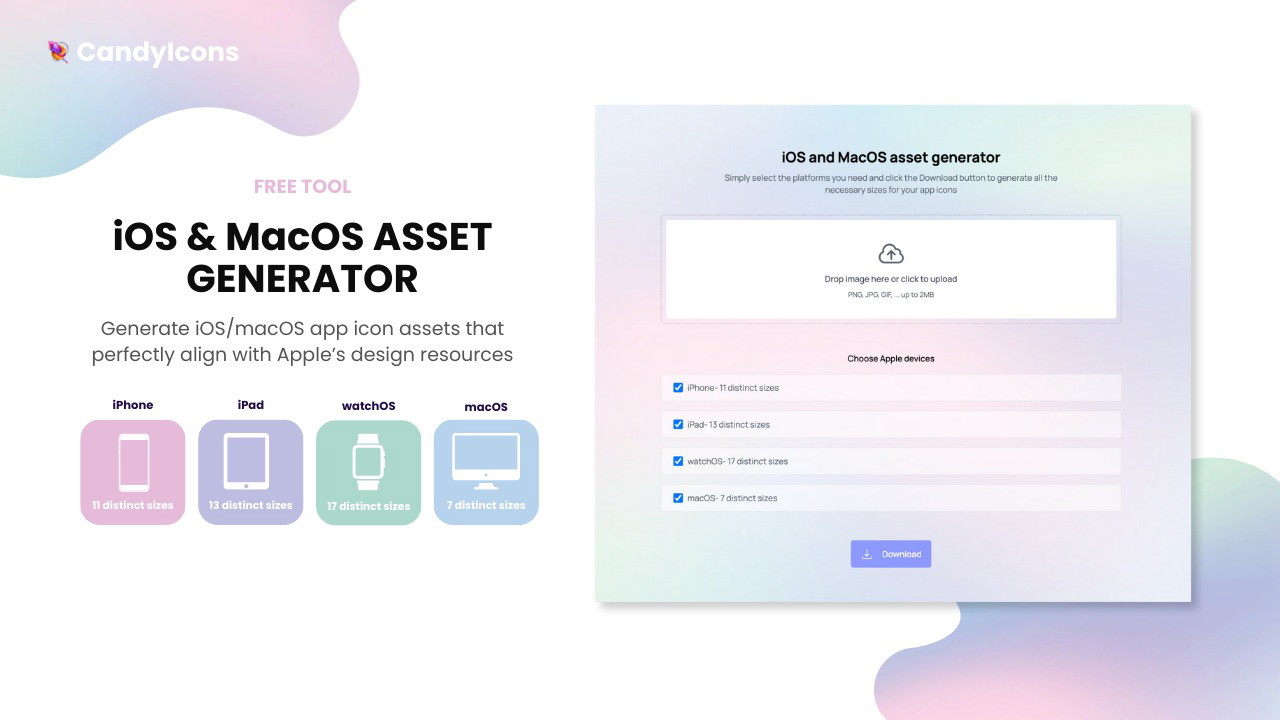
Get your icon in perfect sizes for all Apple devices, completely free!
Who even has time to resize manually? Add your new Candy icon, select formats, and download.
Get lifetime access to CandyIcons today!
Plans & features
Deal terms & conditions
Lifetime access to CandyIcons
You must redeem your code(s) within 60 days of purchase
All future plan updates
This deal is stackable
60 day money-back guarantee. Try it out for 2 months to make sure it's right for you!
Create your own app icons with AI in 3 easy steps
Lifetime access
Refundable up to 60 days
CandyIcons
One time payment of
All features above included
40 icon credits per month (refills every month)
AI icon generator
Full copyright ownership
15 custom styles to choose from
High-resolution PNG exports (1024x1024 px)
Free favicon generator (rounded, circular, square)
Free iOS and MacOS asset generator
Plan 2
80 icon credits per month (refills every month)
Plan 3
120 icon credits per month (refills every month)
CandyIcons
Pre-made icons page
Contact page
iOS and MacOS asset generator (free)
Favicon generator (free)
Posted Mar 14, 2025
Hey Sumolings, Paul here with some big news! 👋
We’ve just added 3 new icon styles: crayon, sticker, and watercolor.
We have also introduced custom color selection, so you can now make your icons even more colorful.
I’d love to hear what you think, so feel free to try these out!
Enjoy 🍬,
Paul
Posted May 24, 2024
Hey Sumolings, Paul here again! 👋
The icon gallery is now live!
For easier icon access, we have developed an icon gallery which is located in your dashboard.
To access it, open your dashboard and click on ‘open your icon gallery’. There, you’ll see all the icons generated previously. Here’s how it works:
Hover over an icon to see the prompt used to create it.
Left-click (tap on mobile) an icon to go directly to the download page.
Right-click (long hold on mobile) an icon to open the submenu where you can favorite or remove an icon.
Favorite an icon from the right-click menu to add it to the ‘Favorites ♡’ tab for quick access.
Remove an icon from the right-click menu to delete it from the gallery permanently.
That’s it, let us know how you like this new feature 🍬
Speak again soon,
Posted Apr 18, 2024
Hey fellow Sumolings, Paul here! 👋
Accounts and dashboards are now live!
To make using the platform easier for you guys, we’ve developed a simple but smart account system.
For new users:
You can easily create your account on the page where AppSumo sends you to claim your code. Add your email, new password, and code(s), and you’re in.
For existing users:
Click on the ‘Log in’ button in the top right corner and then select ‘register’. If you use the same email you used when activating the deal, your code(s) will automatically show in your dashboard.
Dashboard:
Once logged in, you can open your dashboard by clicking the ‘Dashboard’ button in the top right corner. The dashboard shows your email, codes, and remaining credits for the current month. It allows you to switch your email (codes will be transferred to the new email), update your password, and stack more codes.
That’s it, easy-peasy 🍬
Posted Mar 1, 2024
Hey Sumolings, Paul here! 👋
Per your request, stacking is now live! There’s no limit to it, you can stack as many codes as you like.
How to stack:
Paste your first AS code in the ‘License key’ box.
Click ‘Add extra keys’ under the box to insert the next key.
Repeat step 2 until all your codes have been added.
Click the blue button to start generating icons.
We have also increased the base number of credits from 35 to 40 for all codes. You can already see this in your dashboard.
A big thank you for supporting CandyIcons so far, your feedback has been invaluable to us.
Cheers,
Posted Jan 11, 2024
Hey there Sumolings, Paul here with CandyIcons! 👋
I’m so proud to present this deal to the community that has given us so much over the years! 🙌
The idea behind CandyIcons was to turn icon making into play. We wanted it to be fun, fast, cheap, and easy for anyone to use (even if it’s only their second time seeing a computer).
Let’s quickly answer some questions and get you off to a flying start 🚀
🍬 Okay Paul… what’s so great about CandyIcons?
It’s the easiest way to get one-of-a-kind icons from text. As a result, you’ll get (abundant) praise while also saving some time and money.
🍬 Is CandyIcons for me?
If you’re reading this, most likely. Designers, developers, startups, marketers, social media professionals, freelancers, and even hobbyists use CandyIcons.
🍬 Are you guys up to date? I don’t want average icons.
Yes, we’re 100% up to date. We currently use DALL·E 3. No dealing with outdated engines or icons here.
🍬 Okay, I made an icon I like. Do I now own it?
Yes, you get exclusive ownership and unlimited usage rights for the app icons you create or purchase. Modify, resell, redistribute, or give them away if you want.
🍬 How do I access my app icons?
We'll email you a secret link to access the original material of your app icons. The links are private, so no one else can access them unless you choose to share them.
🍬 Where are my app icons stored?
Your app icons are safely stored on highly secure servers in the United States.
🍬 What format do I get my icons in?
You’ll get high-quality PNG files, compatible with all your design tools and platforms.
🍬What about SVG?
Currently, we don't offer app icons in SVG. You got us.
🍬 So far so good. When do my credits renew?
On the 1st of every month.
🍬 Okay. And are my credits topped up or accumulated?
Your credits are topped up (to 35 each month).
🍬 I have more questions. Who do I talk to?
You can reach us anytime at hello@candyicons.com. You can also drop me a question here, I’ll be happy to help.
Enjoy! 🍭