

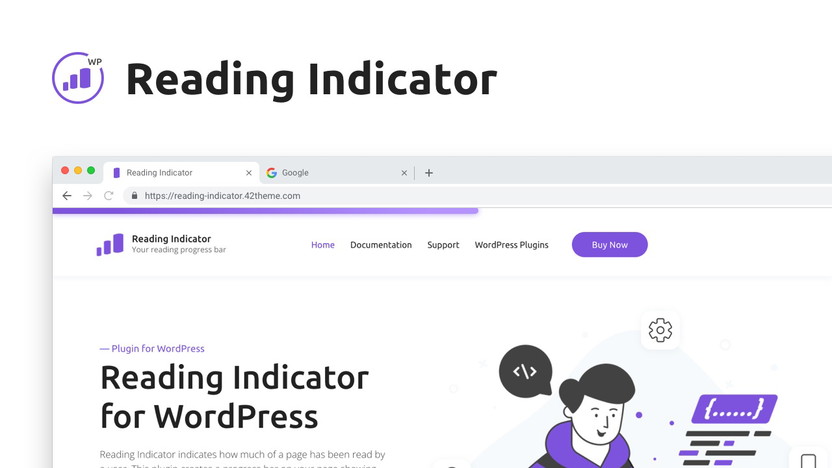
Reading Indicator — Reading Progress Bar for WordPress
This is a visual indicator of how far along you are in your reading of an article. Discover the best deal for Reading Indicator — Reading Progress Bar for WordPress on AppSumo today.
This is a visual indicator of how far along you are in your reading of an article
Media & Design
...Design & Branding
Design Tools
Reading Indicator — Reading Progress Bar for WordPress
Check out our Reading Indicator WordPress plugin → Demo
Introducing Reading Indicator for WordPress – a sleek progress bar enhancing user experience. Features a customizable scroll bar, auto-detects mobile for optimal experience, and tested with popular plugins. Boosts site attractiveness and conversion rates.
Key Features:
🚀 Increase Conversion Rate: Build trust with a clear reading progress indicator.
🎨 Customize Style: Adjust position, height, and color effortlessly.
🌐 Cross-Browser Support: Ensures stability for a smooth scrolling experience.
🛠️ Easy Setup: Install and activate effortlessly; no jQuery dependencies.
📚 Well Documented: Comprehensive documentation for easy usage.
Compatibility:
Tested and compatible with popular plugins like Yoast SEO, Contact Form 7, and major page builders.
Usage:
Enable or disable the indicator on specific pages based on your preferences.
Elevate your website's user experience with the Reading Indicator. Install & go, let readers seamlessly track progress as they explore your content.
TL;DR
At-a-glance
Deal type
Software
Best for
Bloggers
Small businesses
Web design agencies
Integrations
WordPress
Certification
No
Resource type
PDFs
Overview
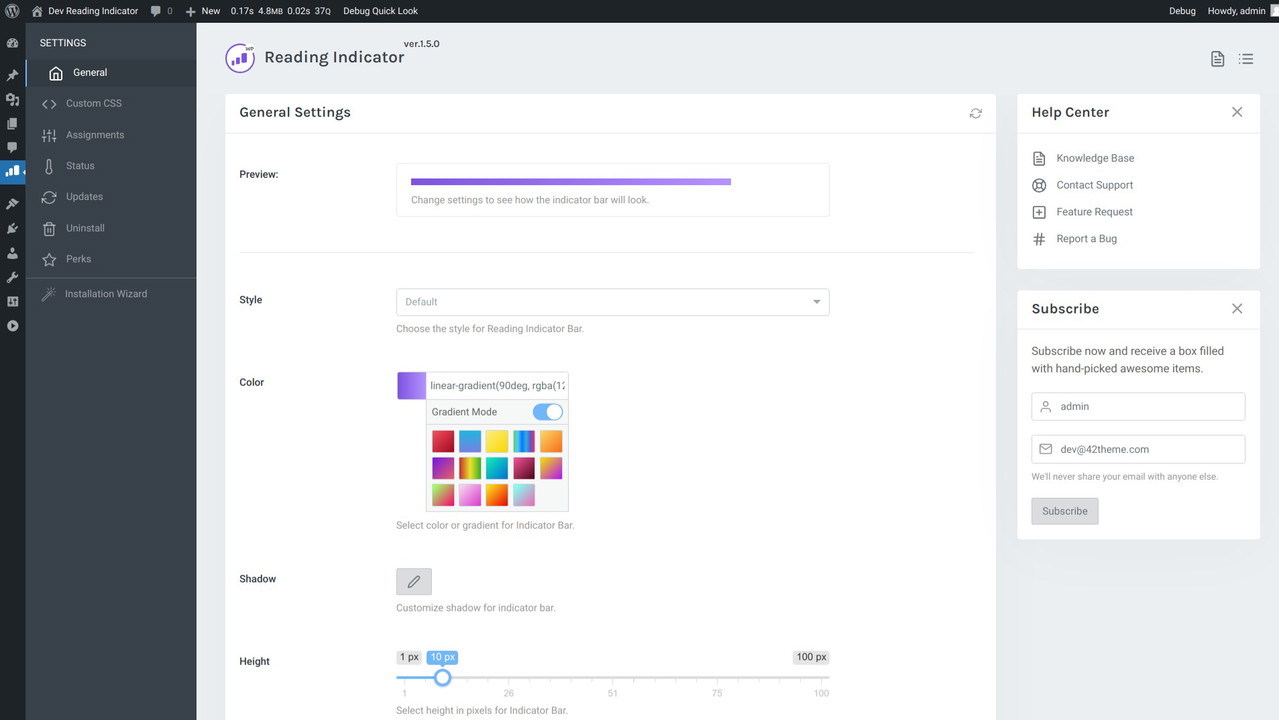
The Reading Indicator plugin for WordPress is flexible and easily customizable, allowing you to change parameters without diving into the code.
Style: Default, Rounded, Plastic, Animated, Shine, Glow
Color: Select color or gradient for Progress Bar.
Shadow: Customize shadow for a progress bar.
Height: Select height in pixels for Progress Bar.
Position: Select position where to show Progress Bar. Top or Bottom.
Offset: Distance to move progress bar up or down, depending on the selected position.
Custom Selector: Enter a valid CSS selector to display the progress bar not for the entire page height, but for a specific part. Leave blank to use full page height.
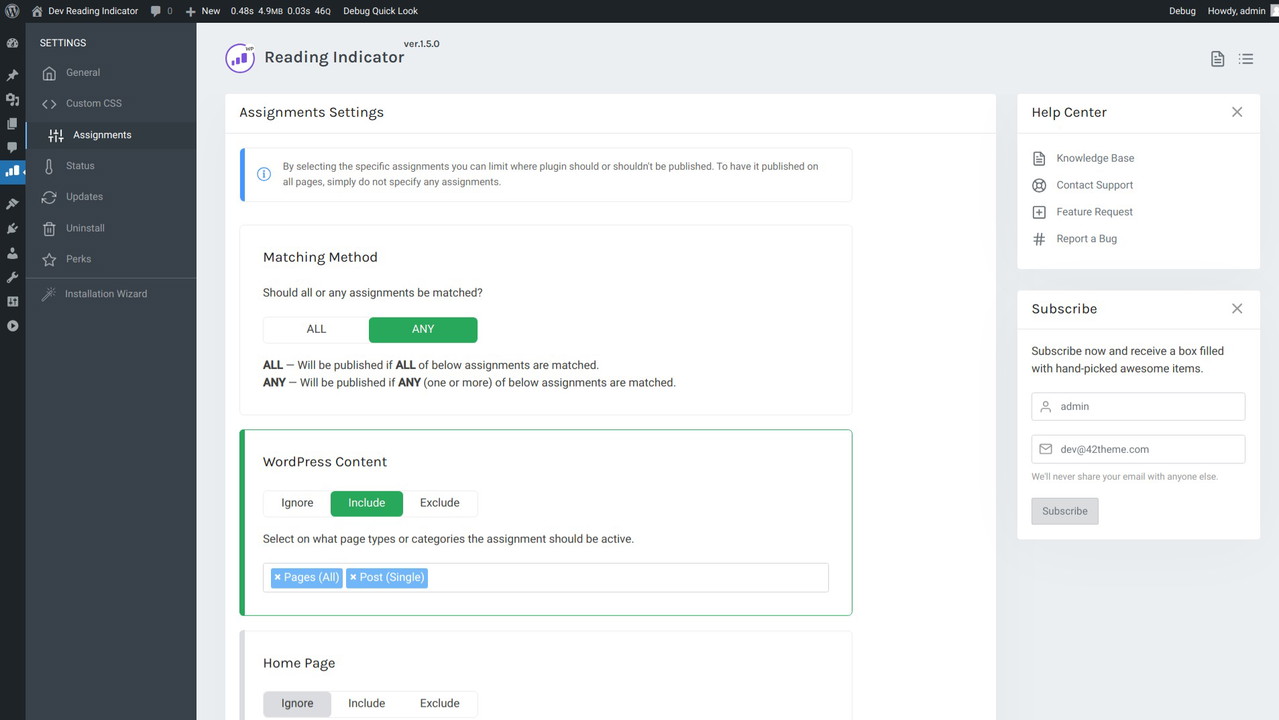
By selecting the specific assignments you can limit where plugin should or shouldn't be published. To have it published on all pages, simply do not specify any assignments.
Matching Method
ALL — Will be published if ALL of below assignments are matched.
ANY — Will be published if ANY (one or more) of below assignments are matched.
WordPress Content: Select on what page types or categories the assignment should be active.
Menu Items: Select the menu items to assign to.
Date & Time: The date and time assignments use the date/time of your servers, not that of the visitors system.
User Roles: Select the user roles to assign to.
URL: Enter (part of) the URLs to match. Use a new line for each different match.
Devices: Select the devices to assign to. Keep in mind that device detection is not always 100% accurate. Users can setup their device to mimic other devices.
Custom PHP: Enter a piece of PHP code to evaluate. The code must return the value true or false.
Plans & features
Deal terms & conditions
Digital download of Reading Indicator — Reading Progress Bar for WordPress
Yours forever if you download and save within 60 days of purchase
This deal is non-refundable
Get lifetime access. Just download and save within 60 days of purchase.
This is a visual indicator of how far along you are in your reading of an article
Digital download
Not refundable
Reading Indicator — Reading Progress Bar for WordPress
One time payment of
Fully Customizable
Easy to use: Install & Go
Support for Mobile Devices
Disable on Specific Pages
Enable or Disable Reading Progress Bar for Certain Pages
Easy Customize Style and Color
100% Responsive, Works on All Devices
Works with all Themes
Native JavaScript, without jQuery
8 styles avalible, more in next version